Your money, in a file you own.
Balance is a bookkeeping app for iPhone, iPad, and Mac: record what you spend and earn, and see the balance of every account. Your books stay in one plain-text file you can open in any editor, back up, and take anywhere — no subscription, no bank login, no account.
One purchase unlocks editing
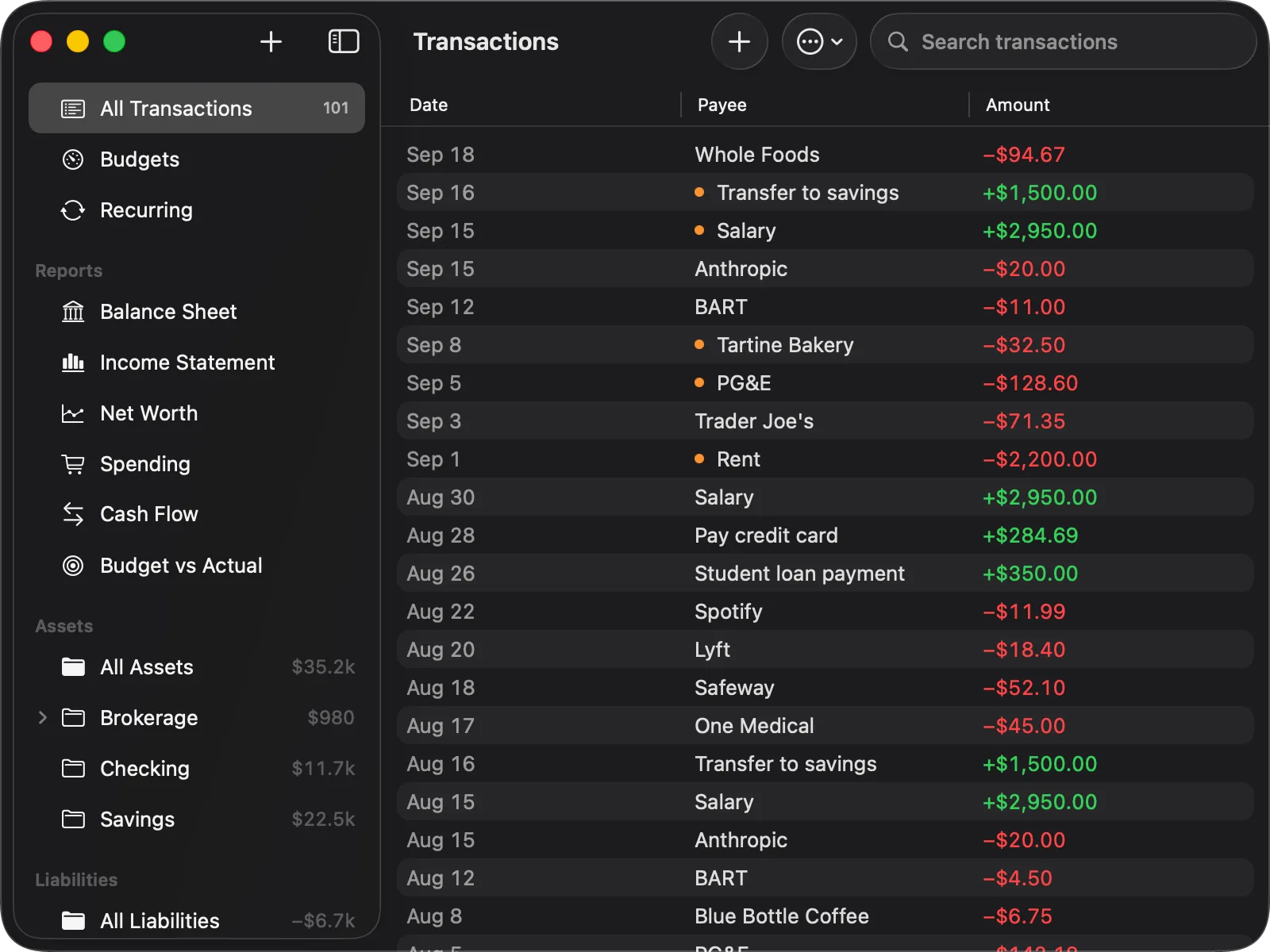
There's no database and no import step. Balance opens your journal, shows you what's in it, and writes back to the same file. Edit a transaction in any text editor, see it in the app a second later. Edit it in the app, it's just a line of text again.
It's your file, not our format.
A single plain-text .ledger journal, stored in your own iCloud Drive, on the device, or anywhere else you keep it: point Balance at a file and it edits that one in place. Read it, diff it, back it up, keep it in a git working copy. It's yours before it's ever the app's.
Real double-entry, not a spreadsheet with categories.
Every transaction is validated. Postings have to balance, and the app tells you the moment they don't, and by how much. Reports, budgets, and reconciling all sit on top of that same validated ledger.
Nothing leaves the device.
No analytics, no tracking, no third-party services. On the Mac, the operating system denies the app network access outright, so your data goes nowhere except the file you chose and, when your device has iCloud Drive on, your own iCloud account.
Every screen, on top of the same file
None of it is a second database. The registers, the reports and the running balances are all computed from the postings in your text file each time you open it. The one exception is budgets, which keep their targets in a small file of their own.
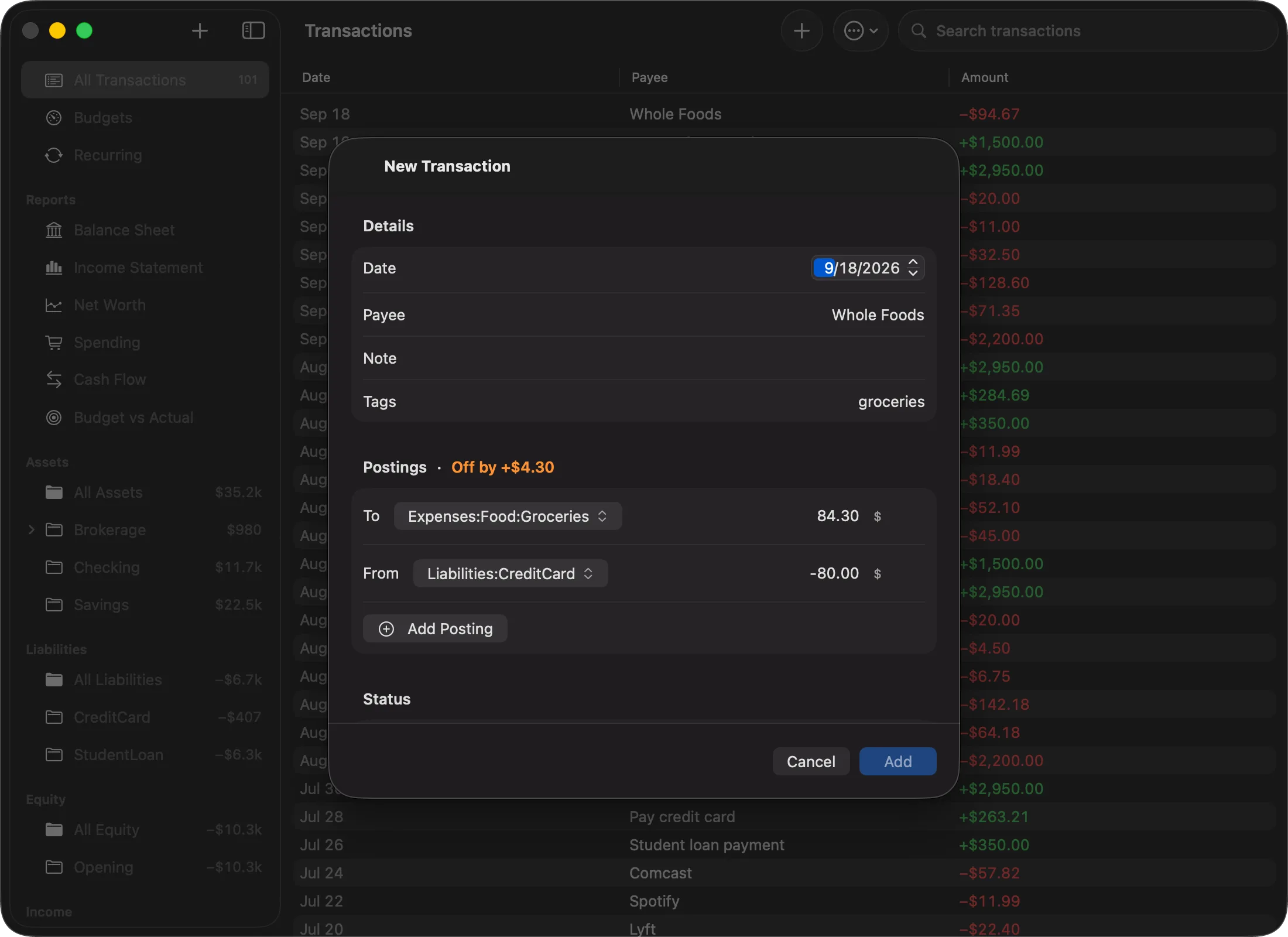
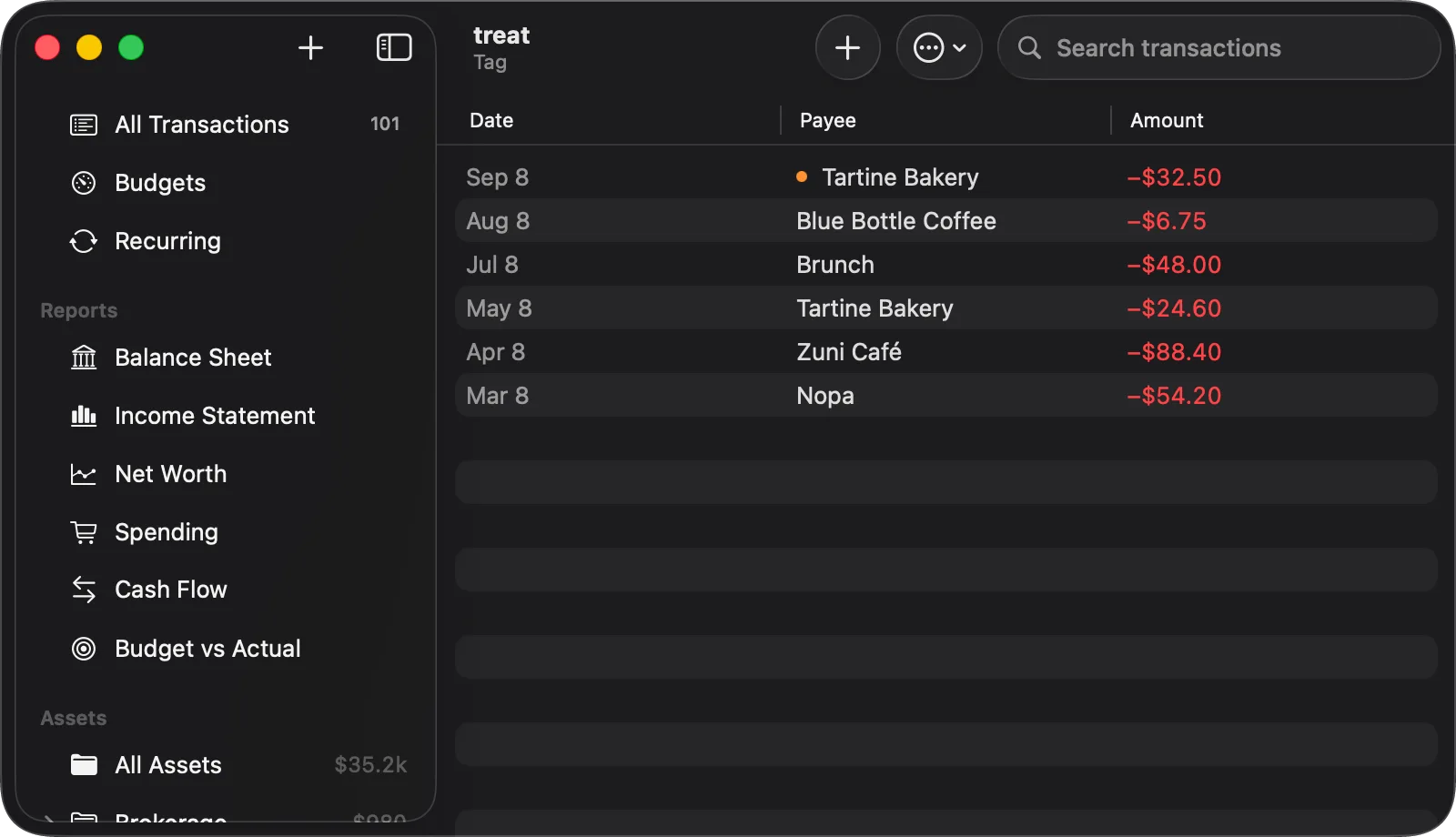
Tag a transaction as you enter it and the tag gets its own row in the sidebar, opening on every transaction that carries it. Six coffees and a brunch, or a year of medical receipts, whichever question you tagged for.
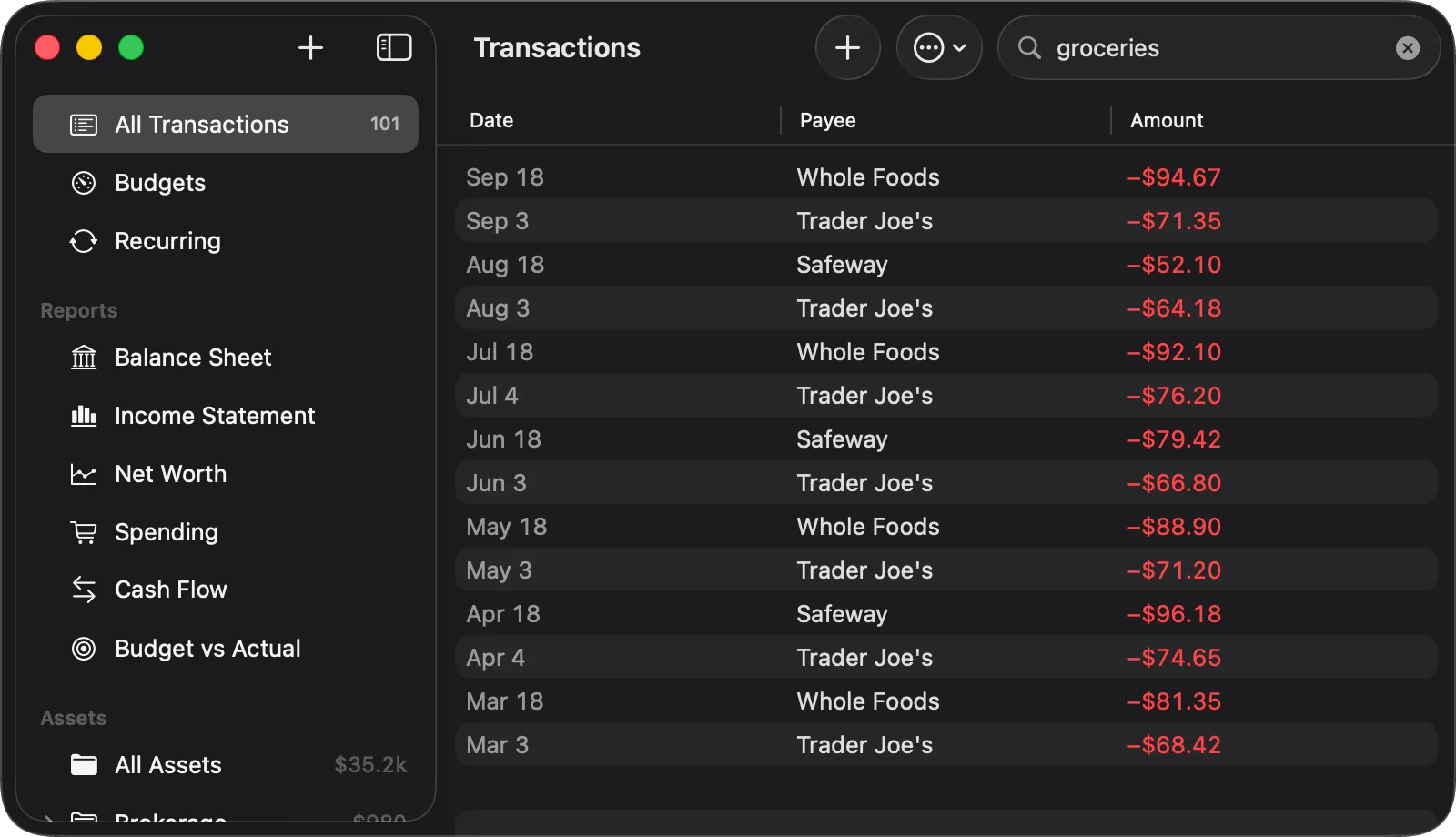
The field matches account names and tags, not just the payee column. That's why groceries finds fifteen transactions that never say the word: they're the postings to Expenses:Food:Groceries.
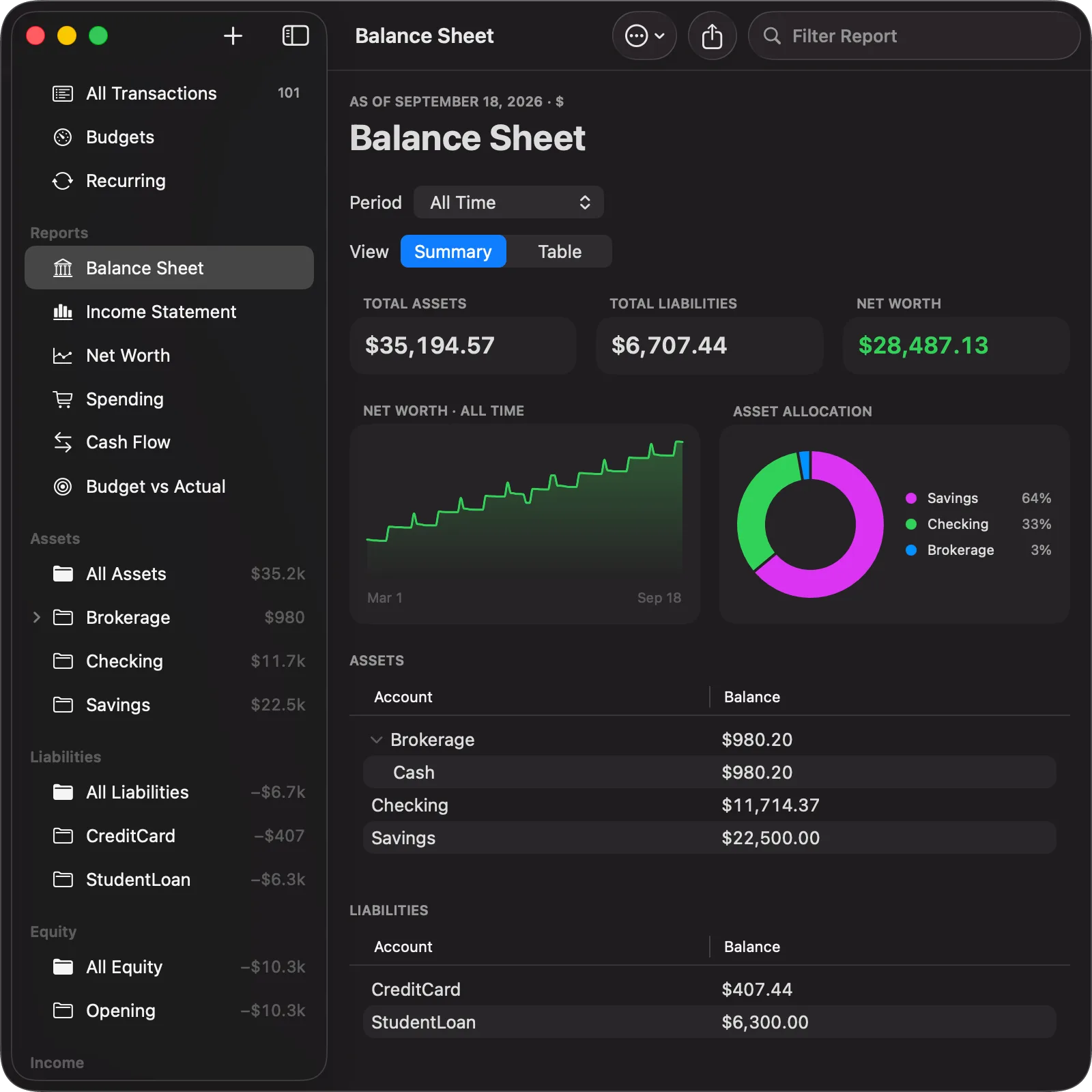
Assets, liabilities and net worth as they stand today, over a trend range you pick, and where the money actually sits.
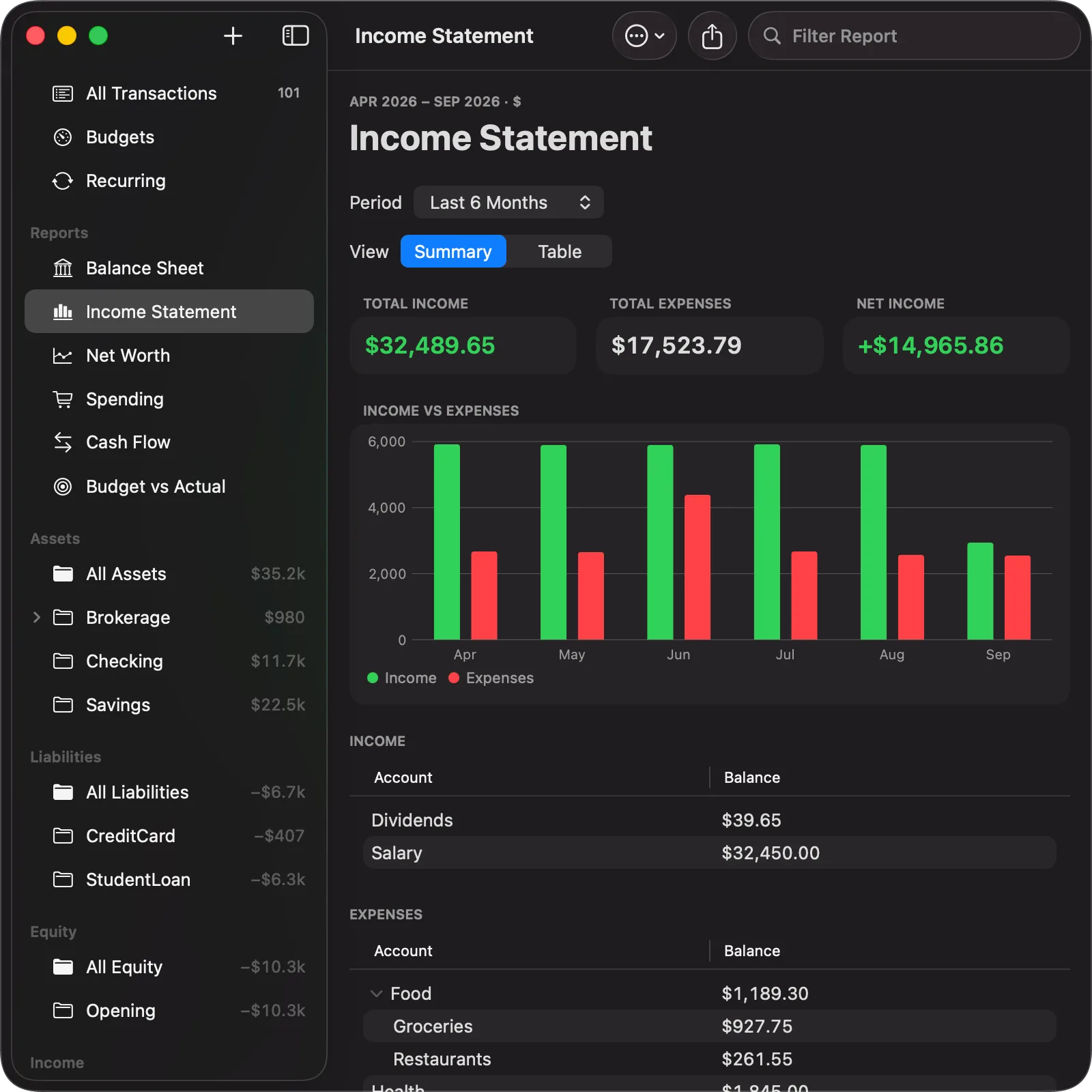
What came in against what went out over the range you pick, broken down to the leaf account.
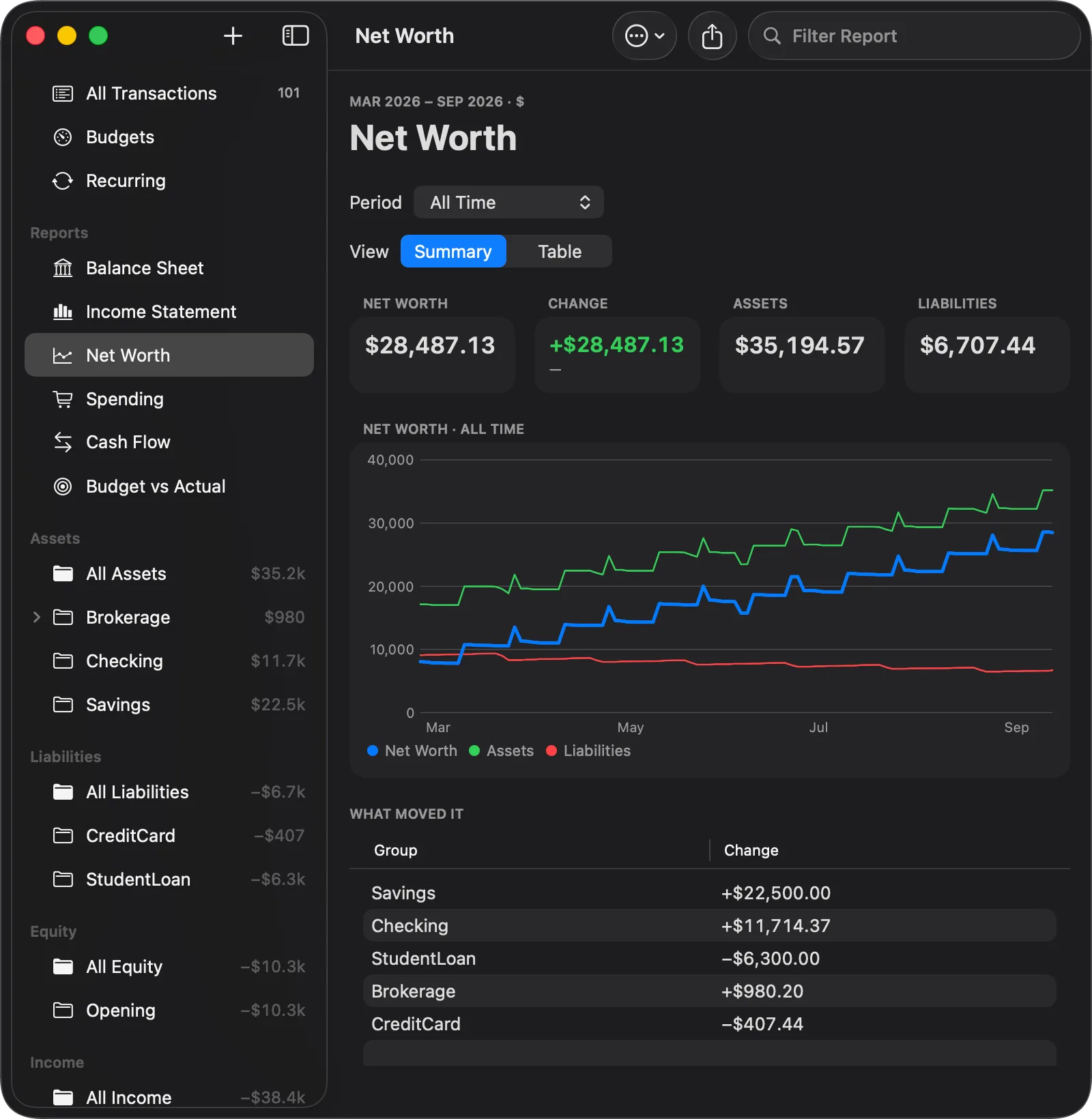
Assets less liabilities over any range, drawn as three lines, with the accounts that moved it most listed underneath. The number tells you where you stand; the table tells you why.
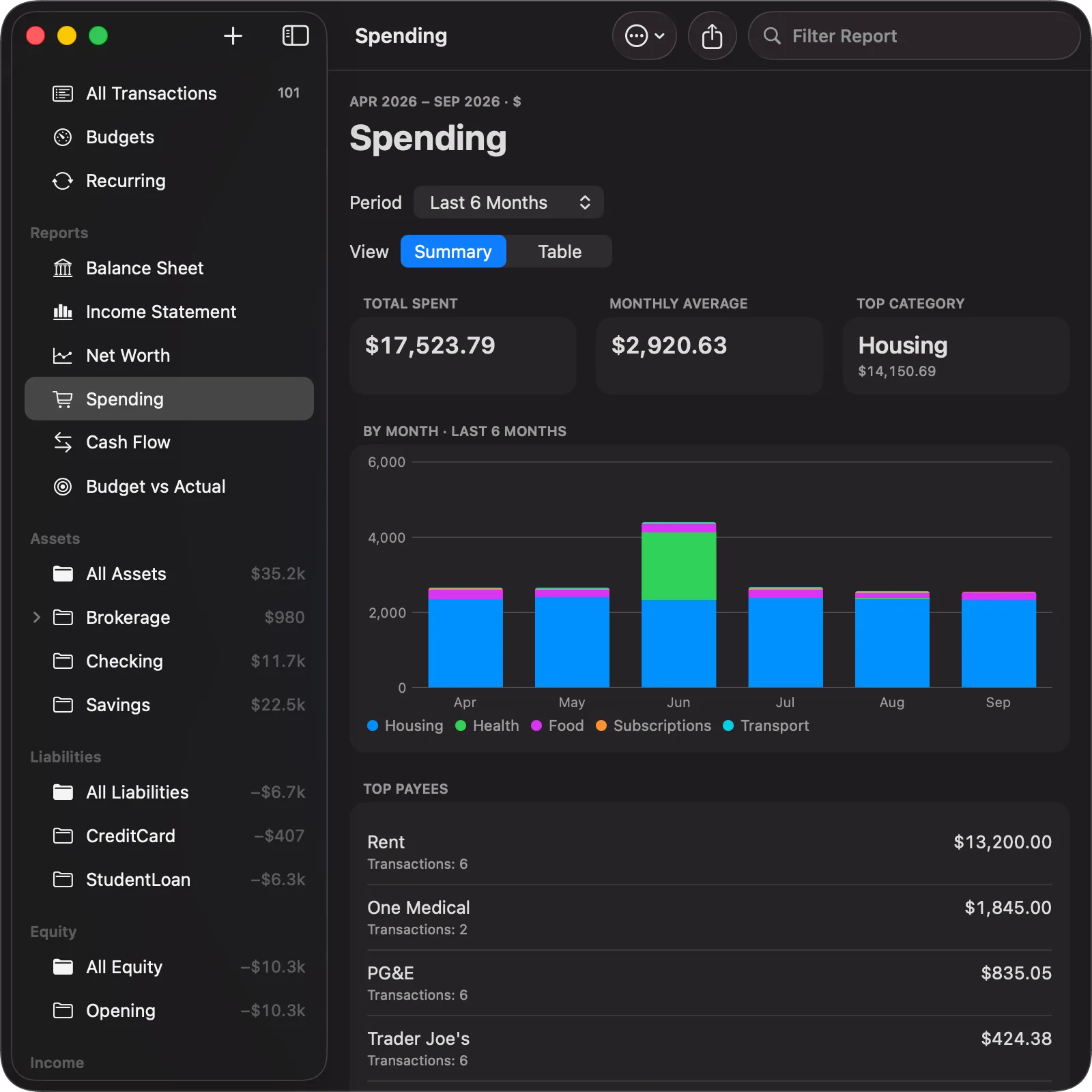
Expenses by month, stacked by category, with the payees that took the most. Over six months Housing is most of the picture and Rent is most of Housing, which is exactly the kind of thing the report is for.
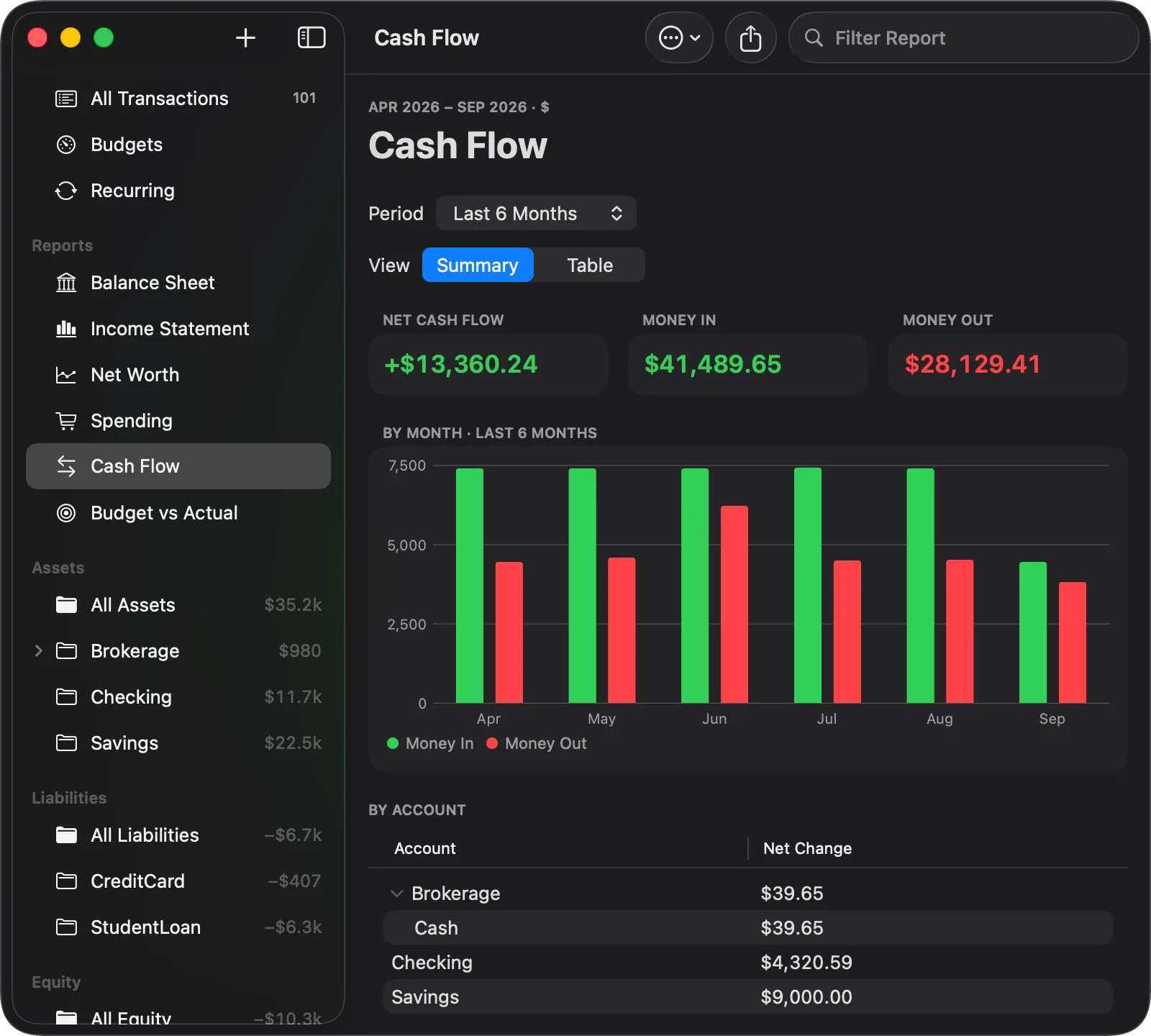
What actually entered and left your asset accounts, month by month. The income statement never sees a transfer to savings or a loan payment; this report counts every asset leg, so it does, and the table underneath says which account each dollar moved through.
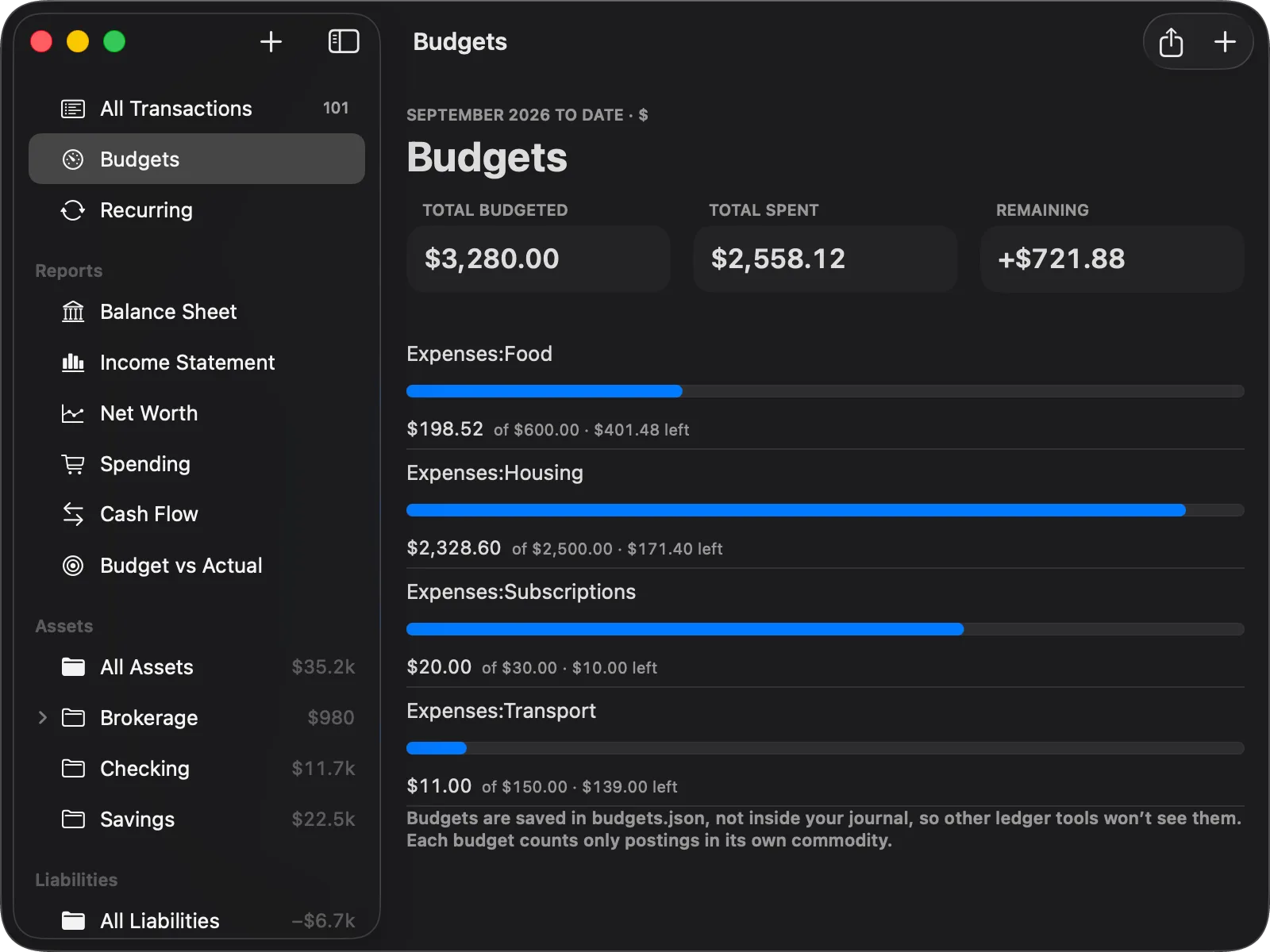
A bar per expense account, counting only postings in that budget's own commodity. Budgets live in a budgets.json of their own, never inside the journal, so other ledger tools still read the file exactly as before.
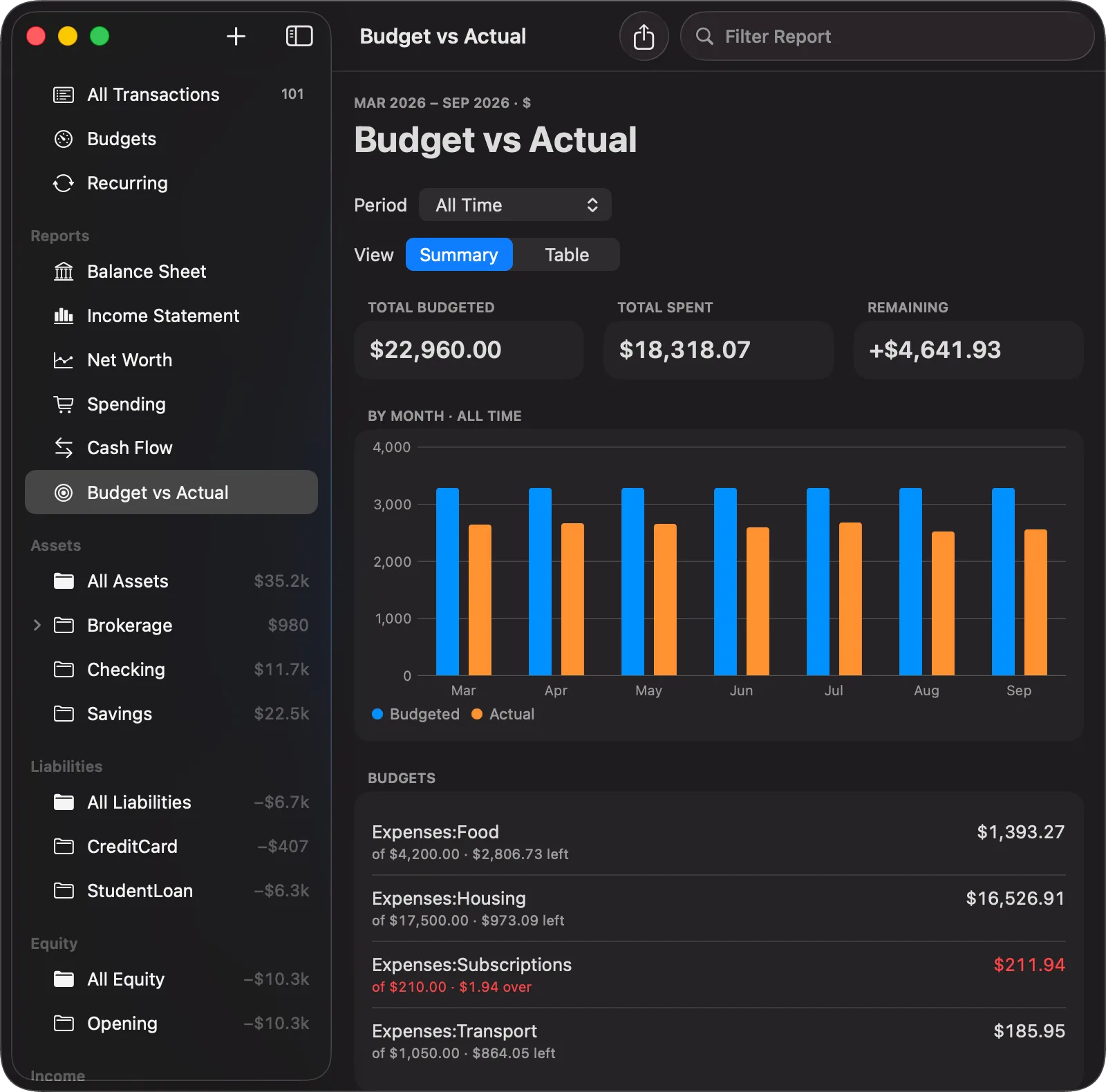
The same budgets as a history: budgeted against spent for every month you kept one, and each account's total with what is left or how far over it went.
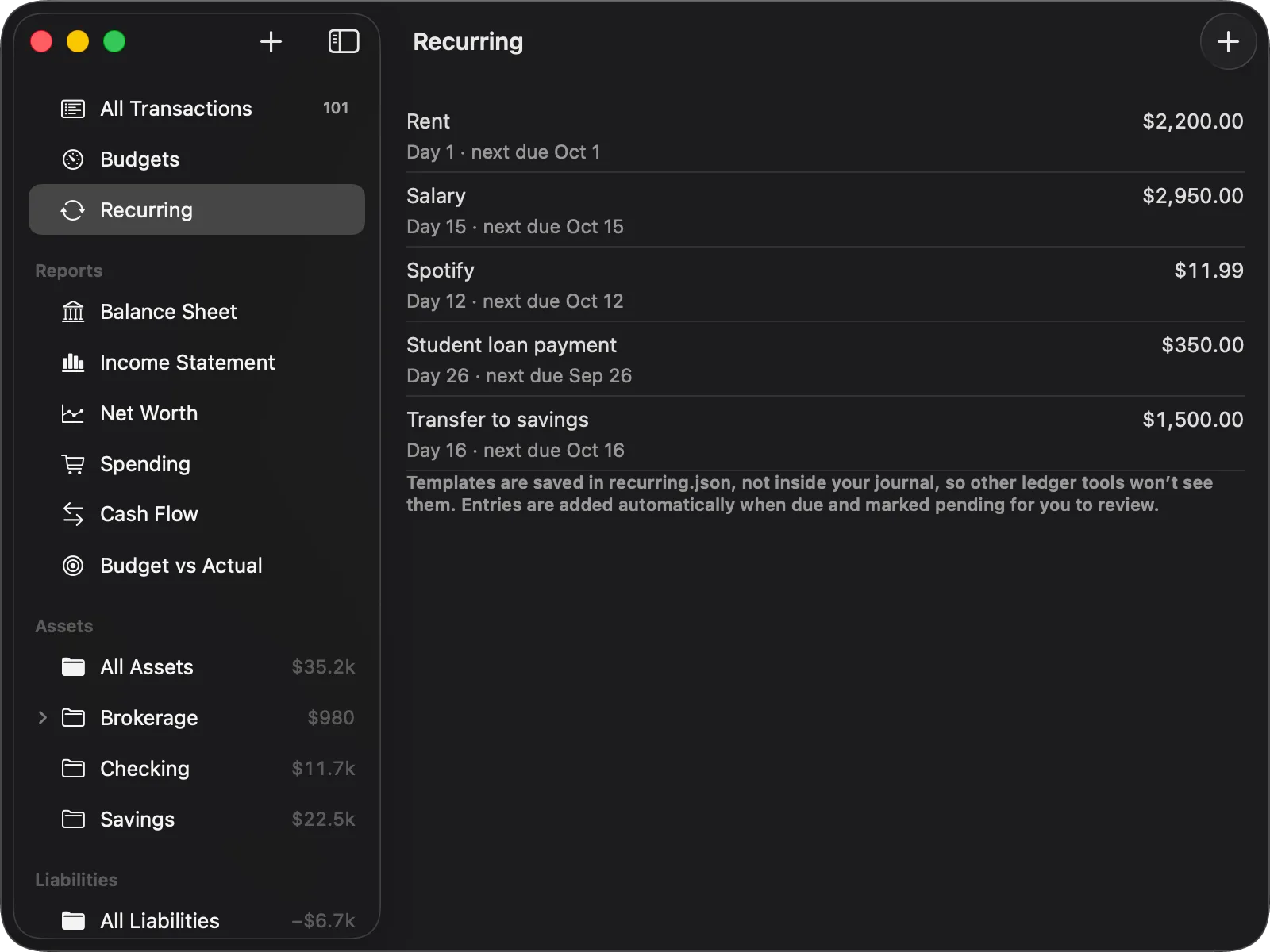
Rent, salary, the subscription you always forget. Give it a template with the day it falls on and Balance writes the entry when it comes due, marked pending so you can look it over. Templates sit in a recurring.json of their own, so other ledger tools never see them.
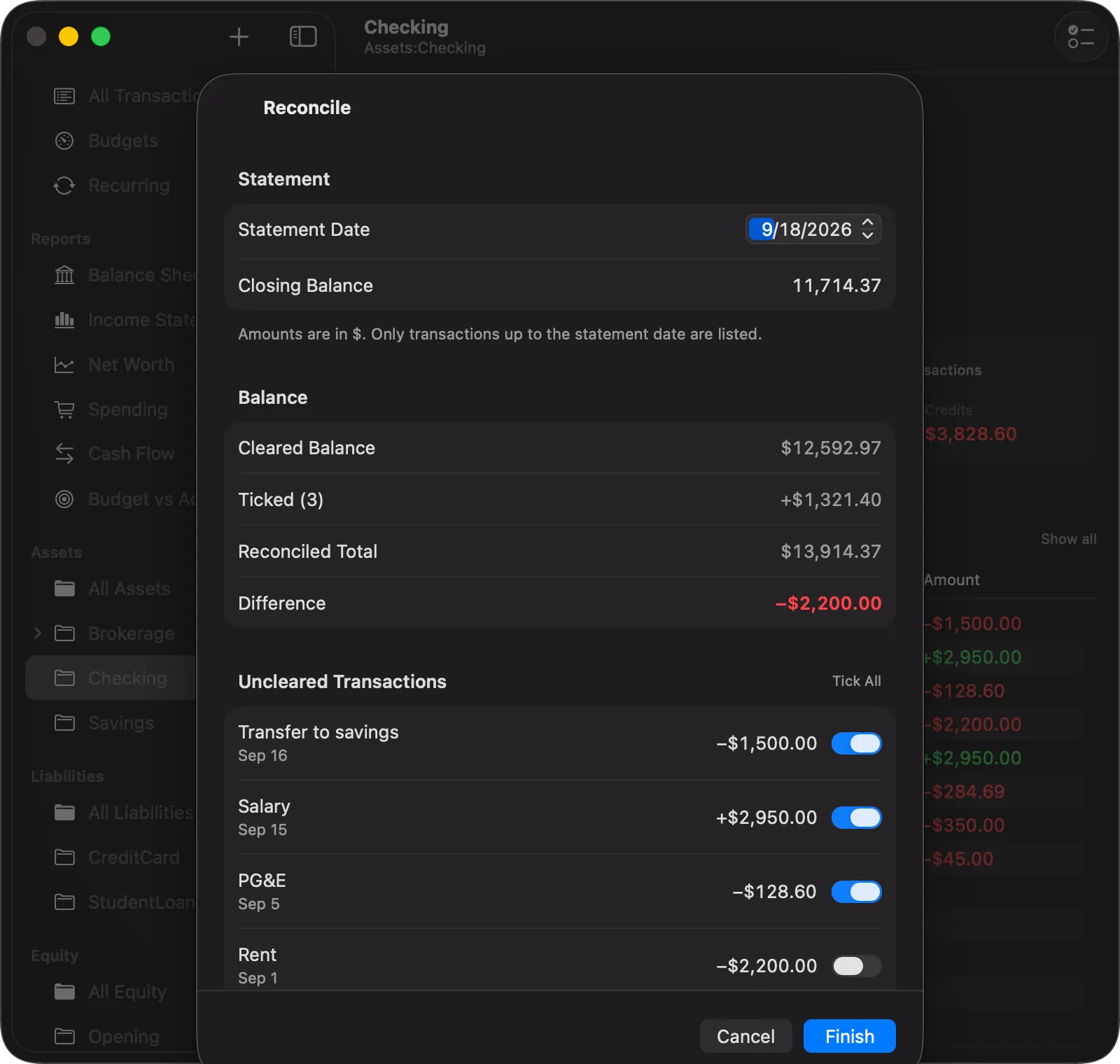
Enter the statement date and closing balance, tick off what has cleared, and watch the difference walk to zero. Finishing marks every ticked transaction cleared in the journal, in a single undoable step.
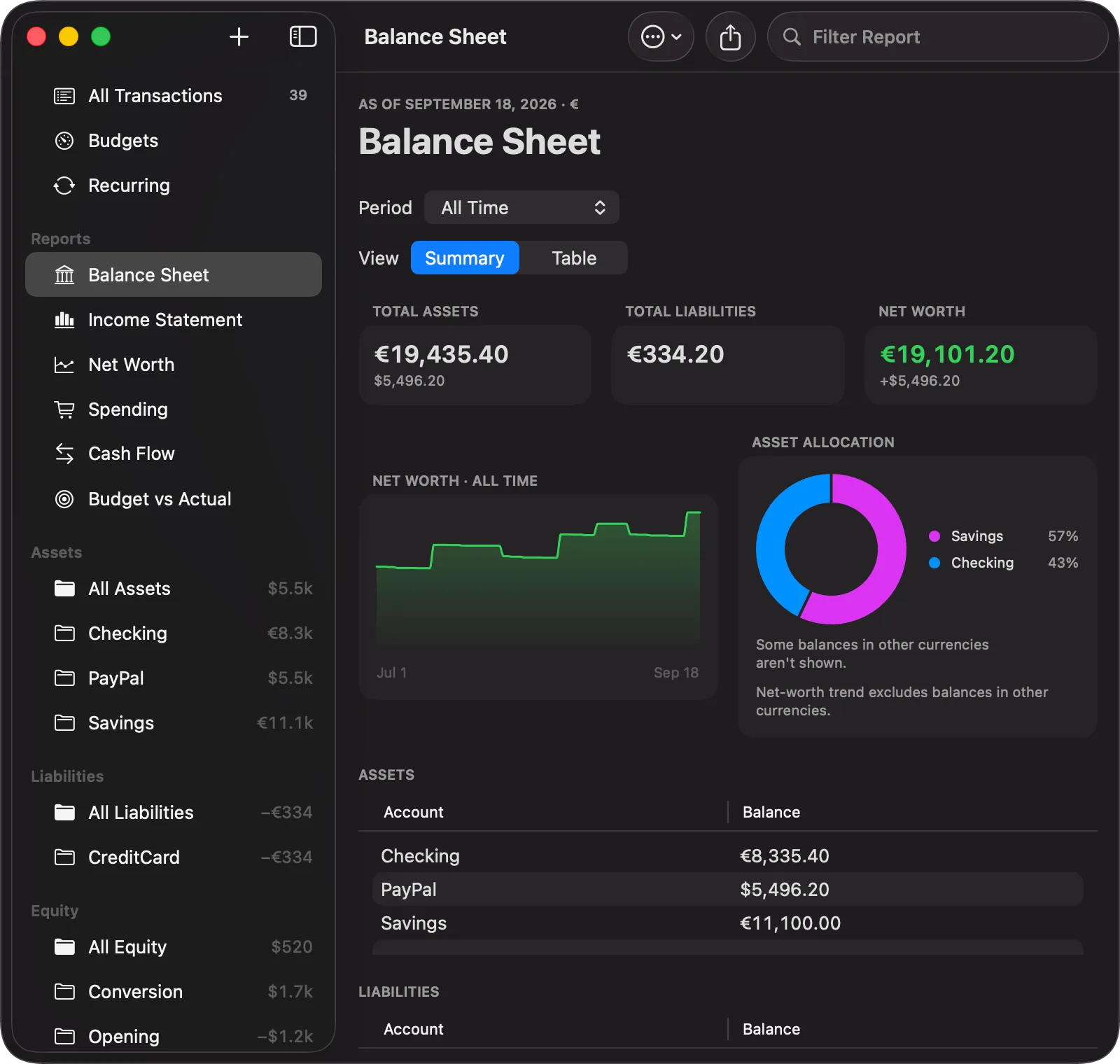
A journal in euros and dollars reports as both: €19,435.40 of assets, and $5,496.20 more listed beside it rather than folded in. Where a total can't include everything, the report says so instead of quietly converting at a rate someone picked.
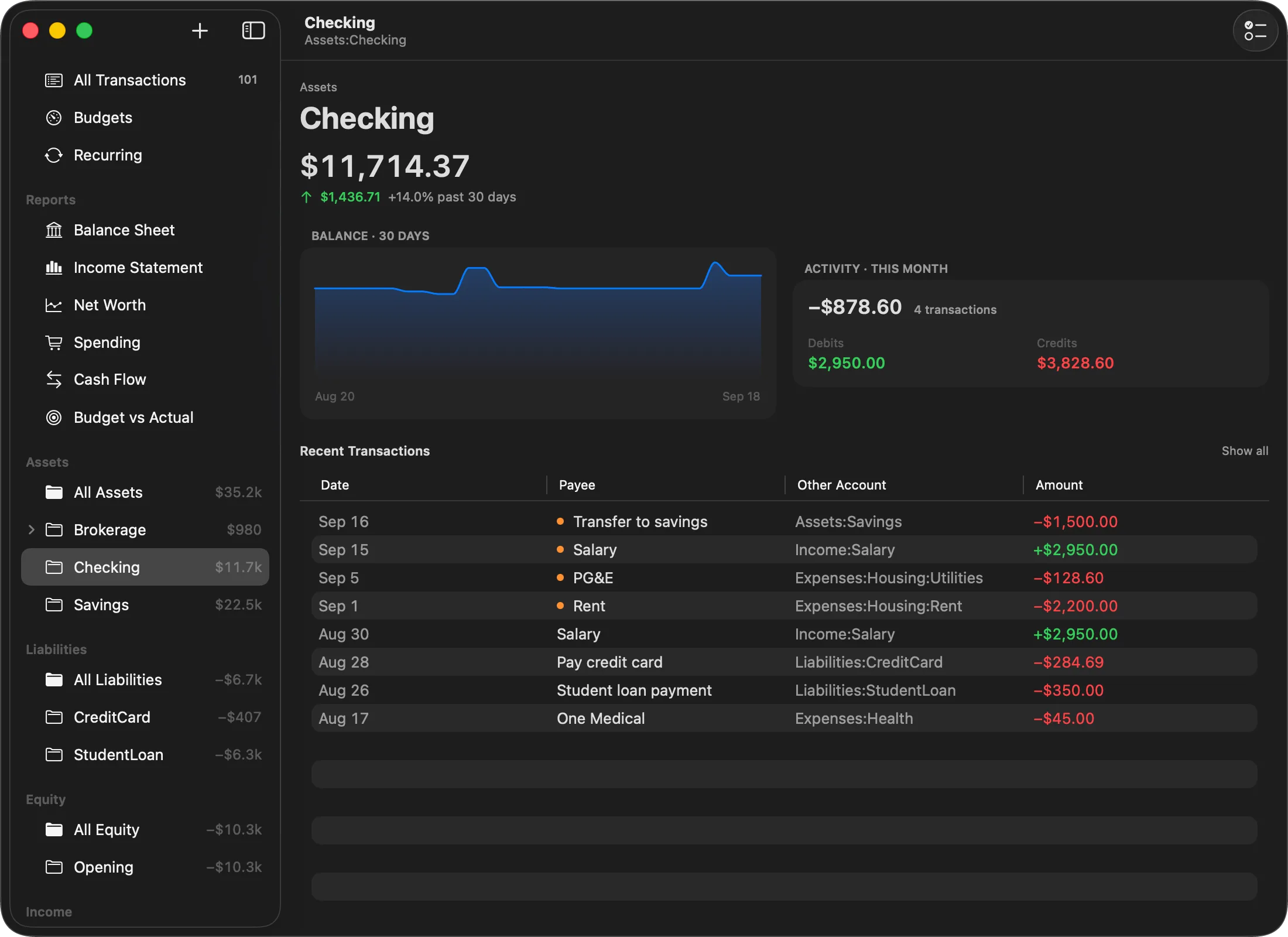
Out again, as PDF and CSV
Every report exports to a page you can print or send; every register to a table another program can read. Neither is a backup. A CSV drops the code, comment and auxiliary date the journal keeps, and Balance reads nothing back but its own .ledger. The file on disk was always the backup.
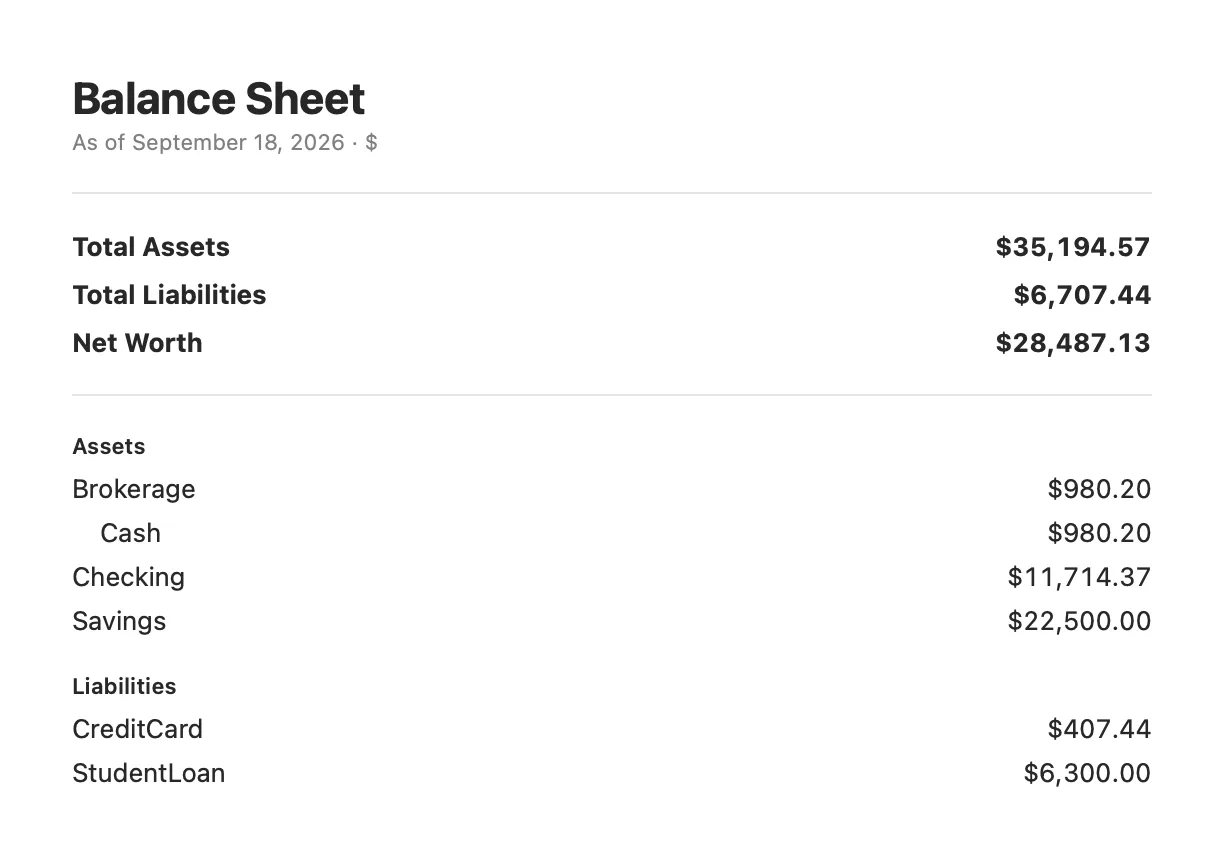
Export PDF… sits in the toolbar of both reports and renders one as it stands: the same $28,449.34 that was on the screen further up this page, on a page an accountant can read.
One row per posting, so both legs of a transaction survive the trip. The rows are whatever the register was showing when you asked, tag filter or search included.
The five files the app produced while these screenshots were taken, untouched:
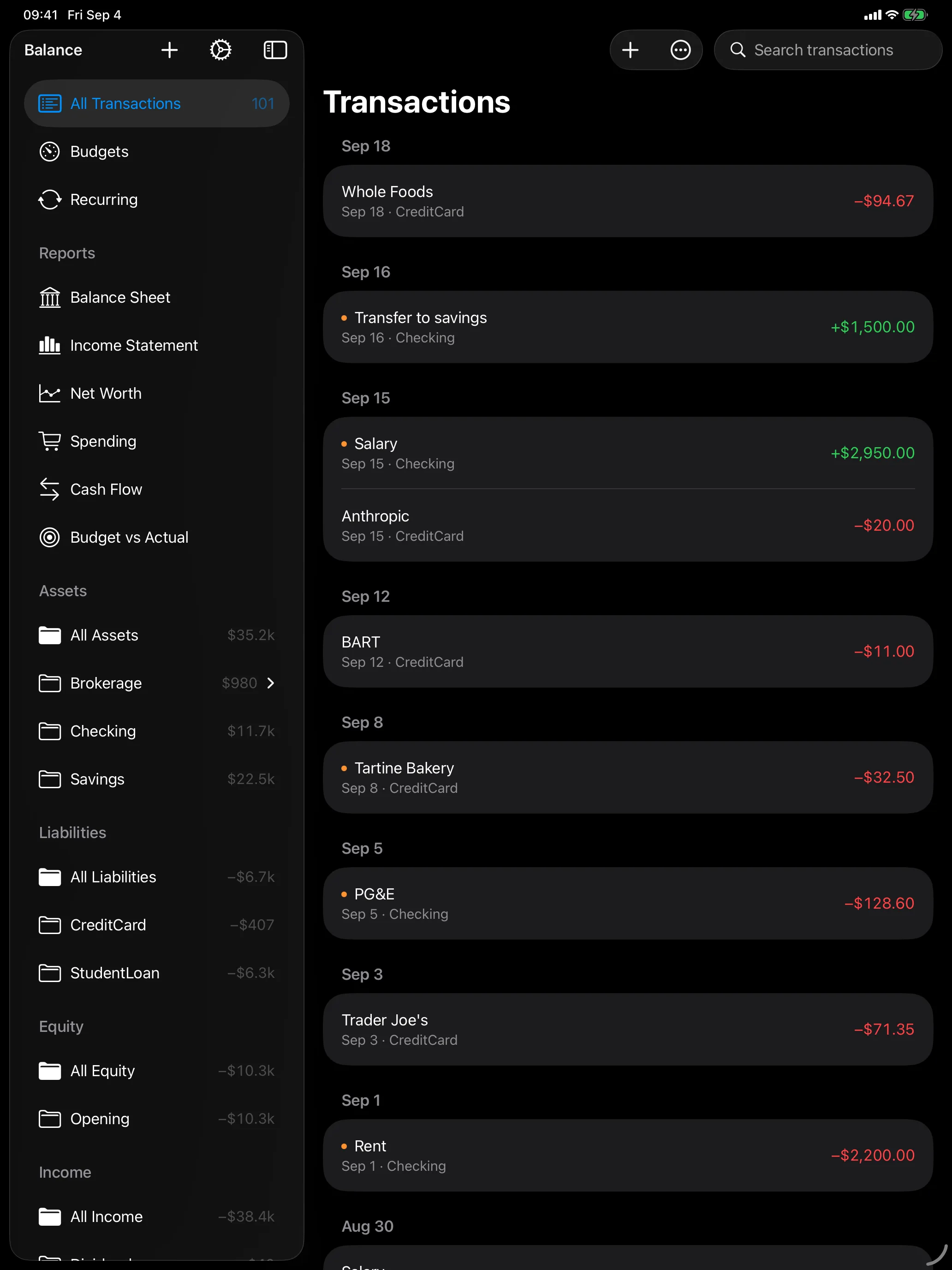
The same journal on every screen
Not a companion app with a subset of the features. It's the same app, laid out for the screen it's on. One purchase covers iPhone, iPad, and Mac, and iCloud Drive keeps the file itself in sync.
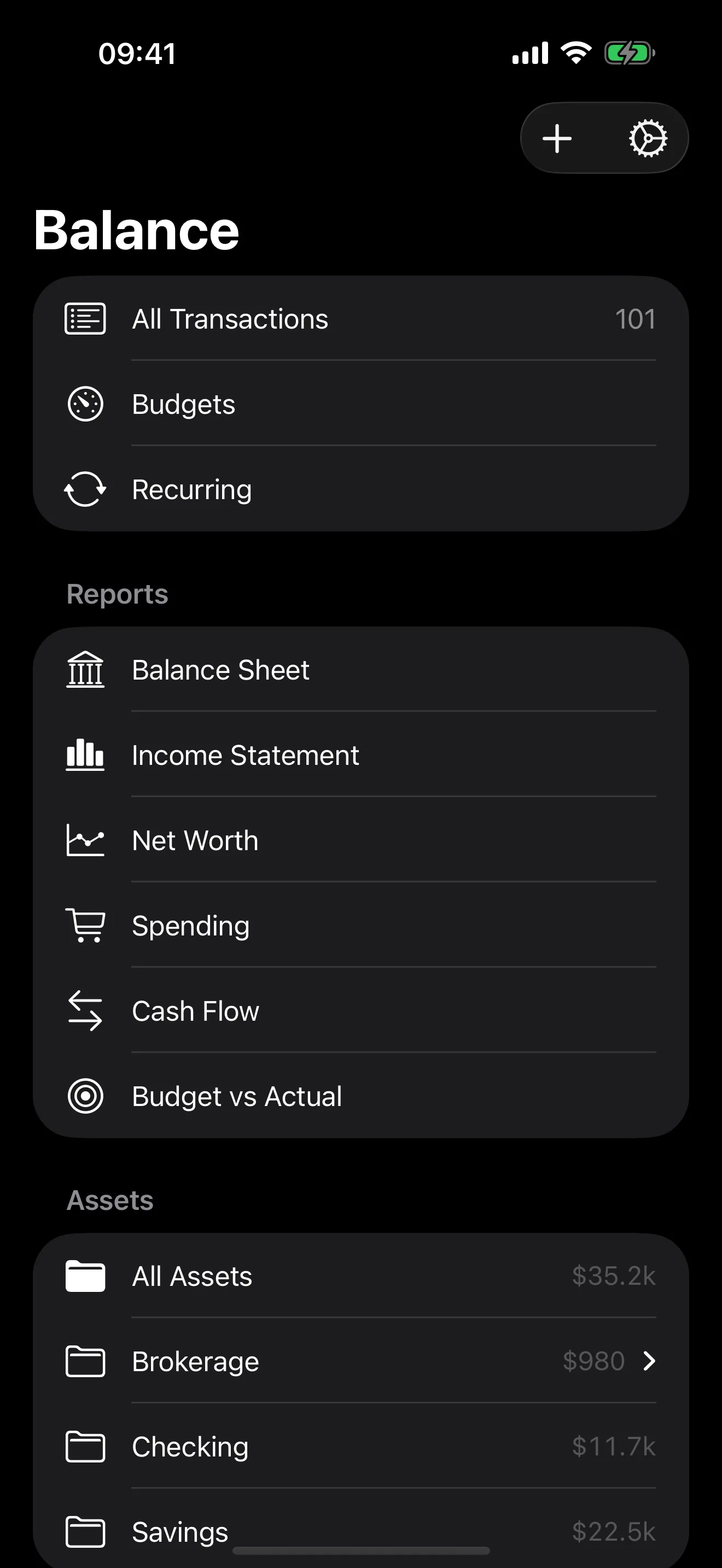 Every account, grouped
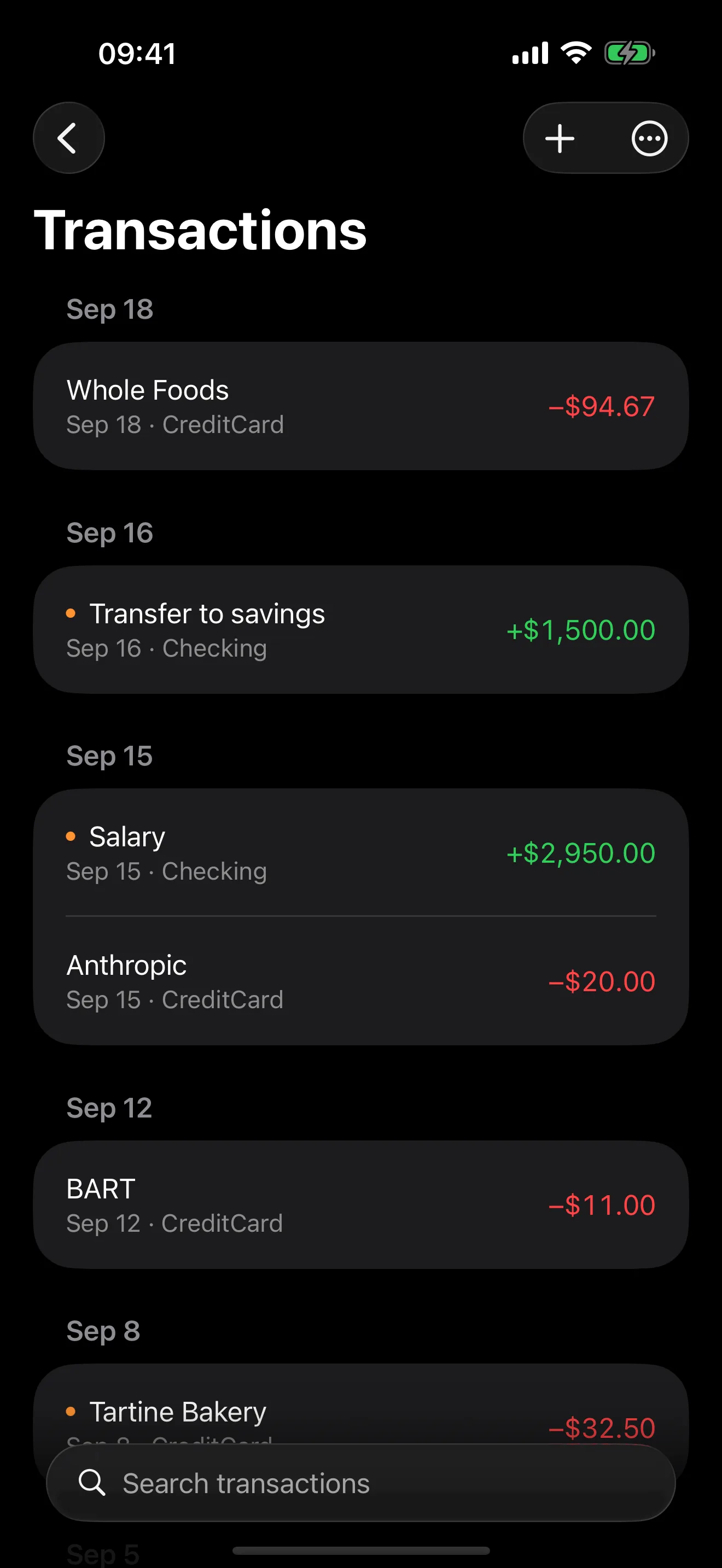 The register
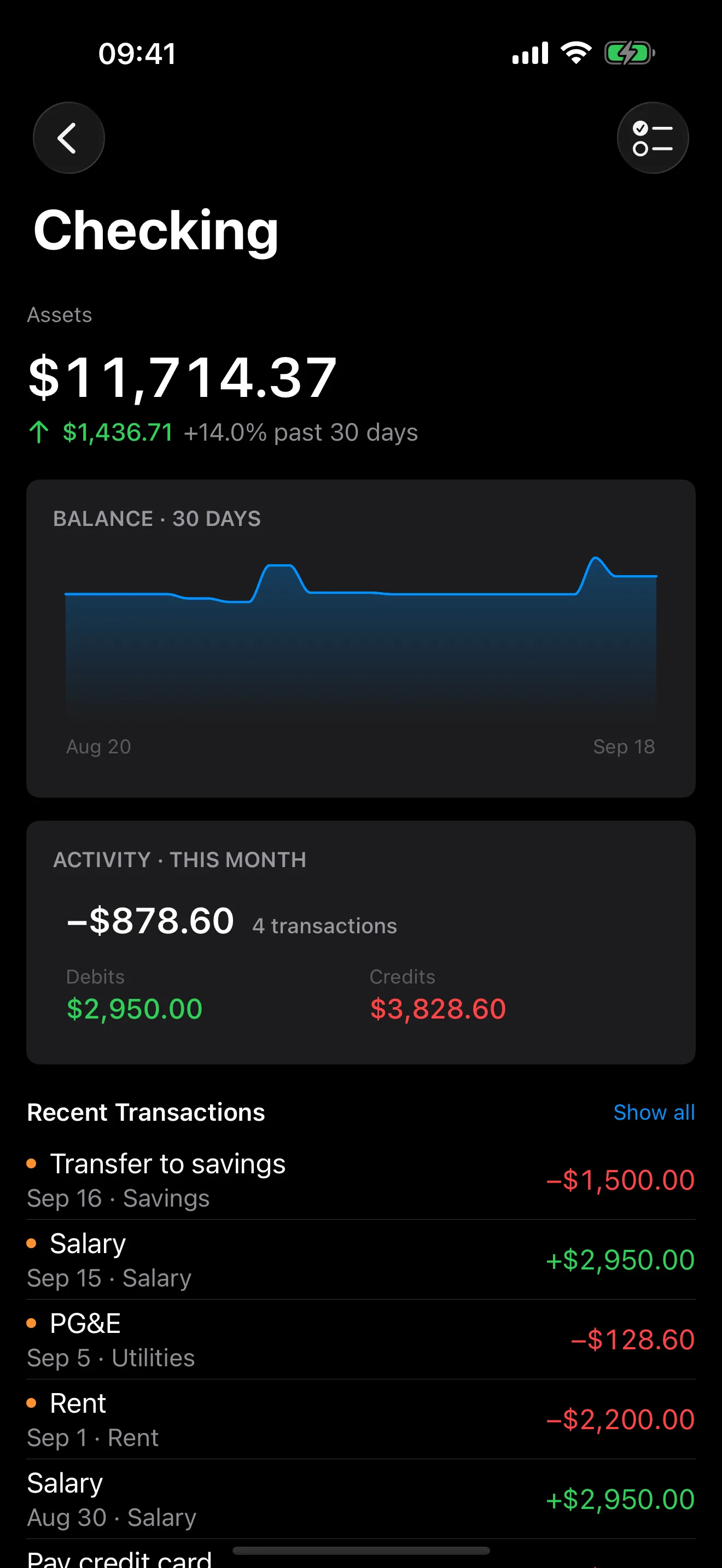 One account
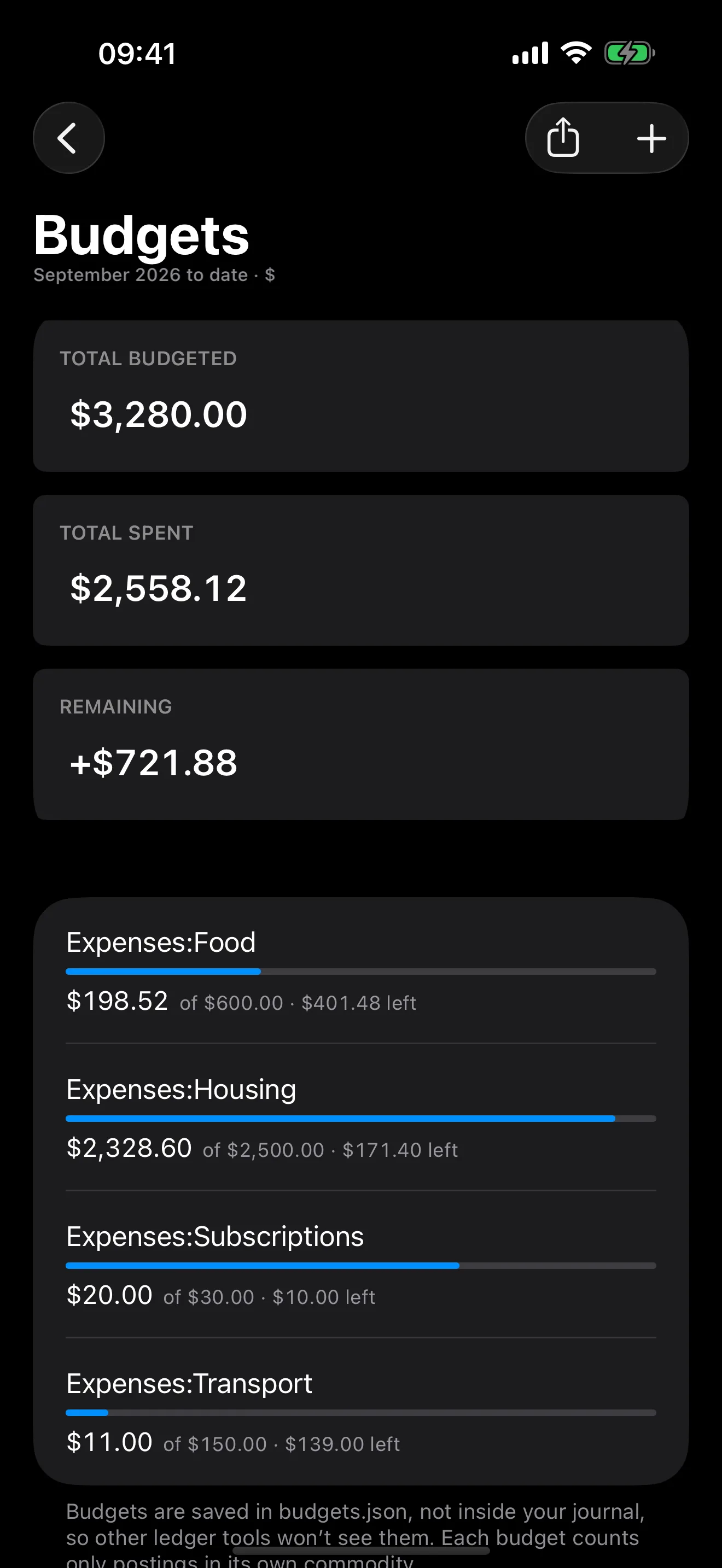 Budgets
What Balance doesn't do
Amounts in different commodities are read and reported separately, never converted at a rate. Balance is a careful reader and editor for a journal file you control, and nothing more.
One purchase.
Not a subscription.
- Open and browse any journal
- Reports and account registers
- iCloud sync
- Everything in Free
- Add and edit transactions
- One purchase covers iPhone, iPad, and Mac together
Works with any ledger-cli or hledger journal it can parse, and never rewrites what it doesn't understand.